Point of sale for New Zealand retailers
Sell, stock and serve, all in one place.
Tilo runs your counter, your stock, your customers and your web store, on any tablet or computer. Built in New Zealand for independent shops, with everything a firearms dealer needs too.
- Set up in minutes
- All your staff and registers
- Cancel anytime
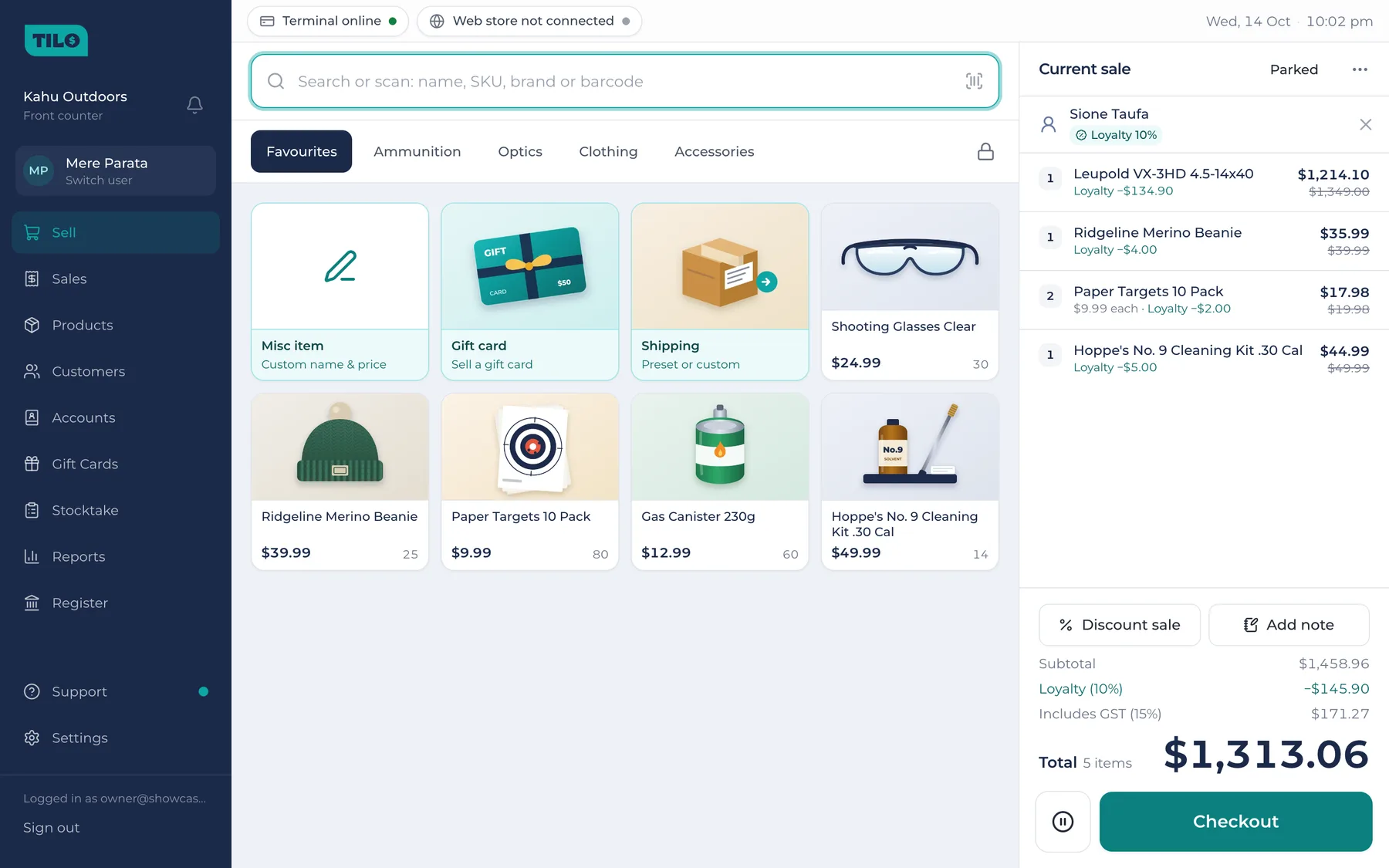
Fast checkout
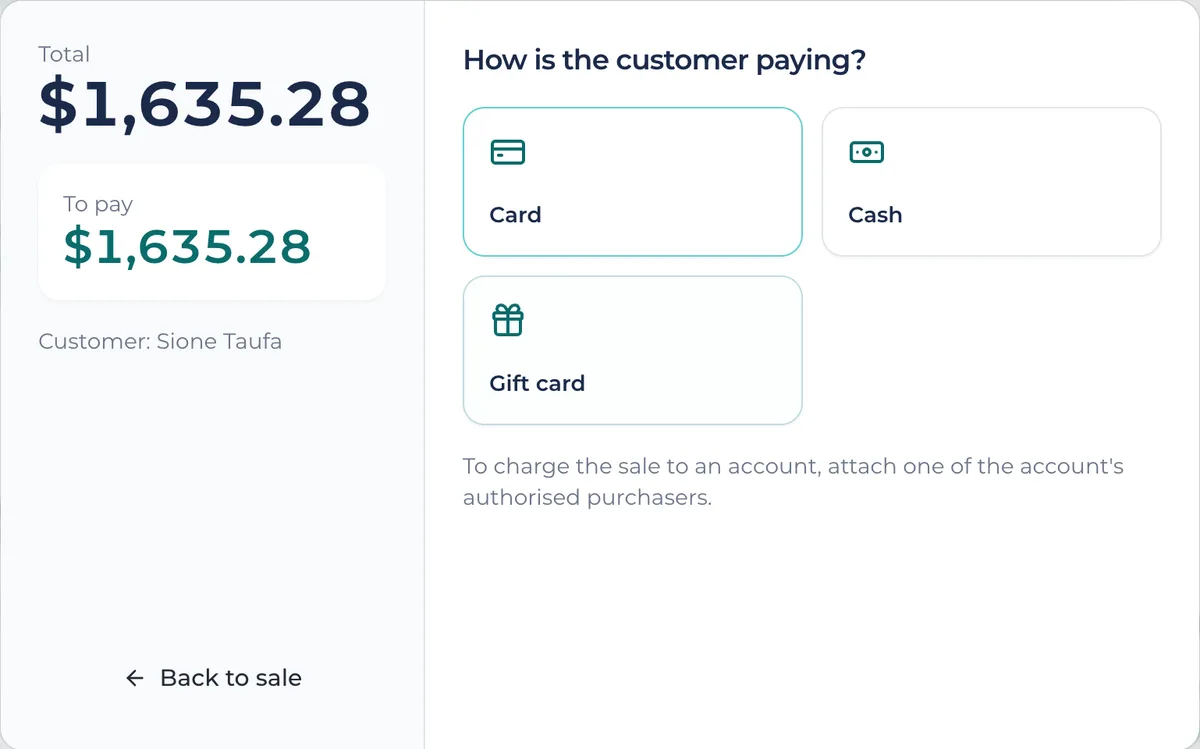
Scan, tap or search, and take cash, card, gift cards or accounts.
Stock that's right
Every movement recorded, and stocktakes while you trade.
Customers who return
Loyalty discounts, store credit and their whole history.
In store and online
Your WooCommerce store kept in step, orders and all.
Features
Everything the shop needs, nothing it doesn't
From the first scan of the morning to closing the register at night.
At the counter
A checkout that keeps the line moving
Scan a barcode, tap a tile or start typing. Park a sale while someone finds their wallet, add a discount within each person's limit, and take payment however the customer likes.
- Cash, card, gift cards, store credit and charge accounts, and split payments
- The sale you're on is saved as you go, so a reload or a dropped connection never loses it
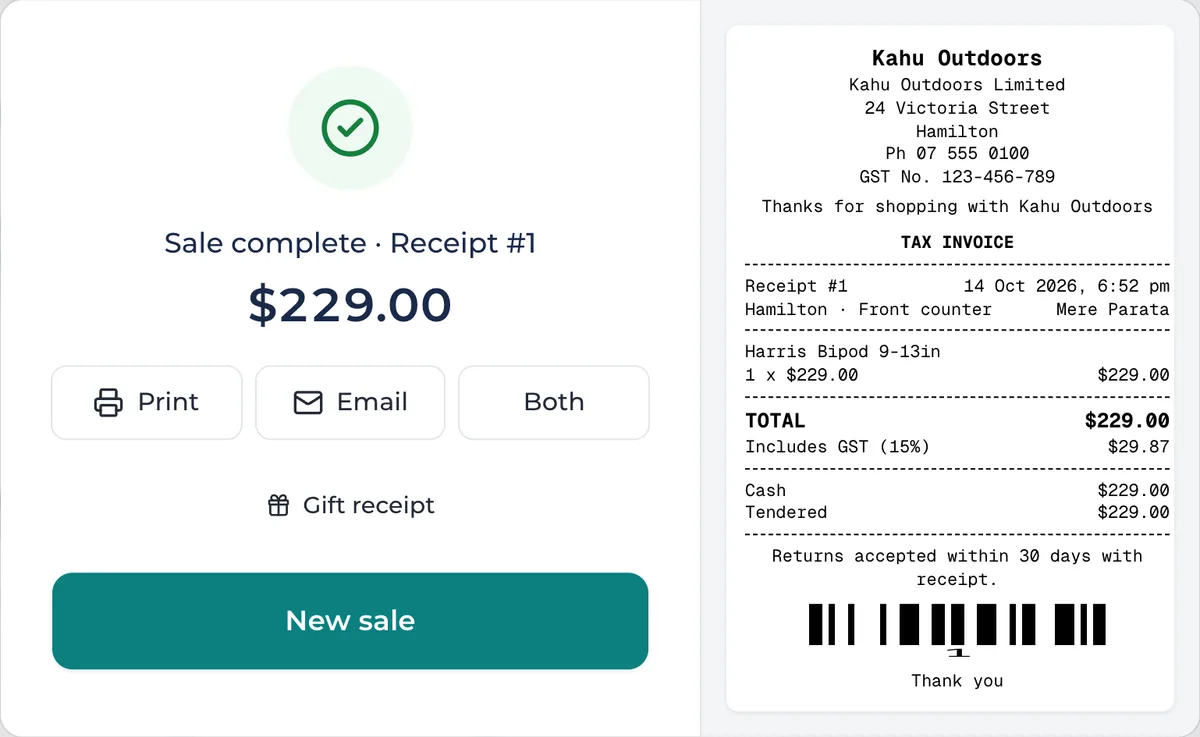
- Print or email the receipt, or hand over a gift receipt
Products and stock
Know what's on the shelf
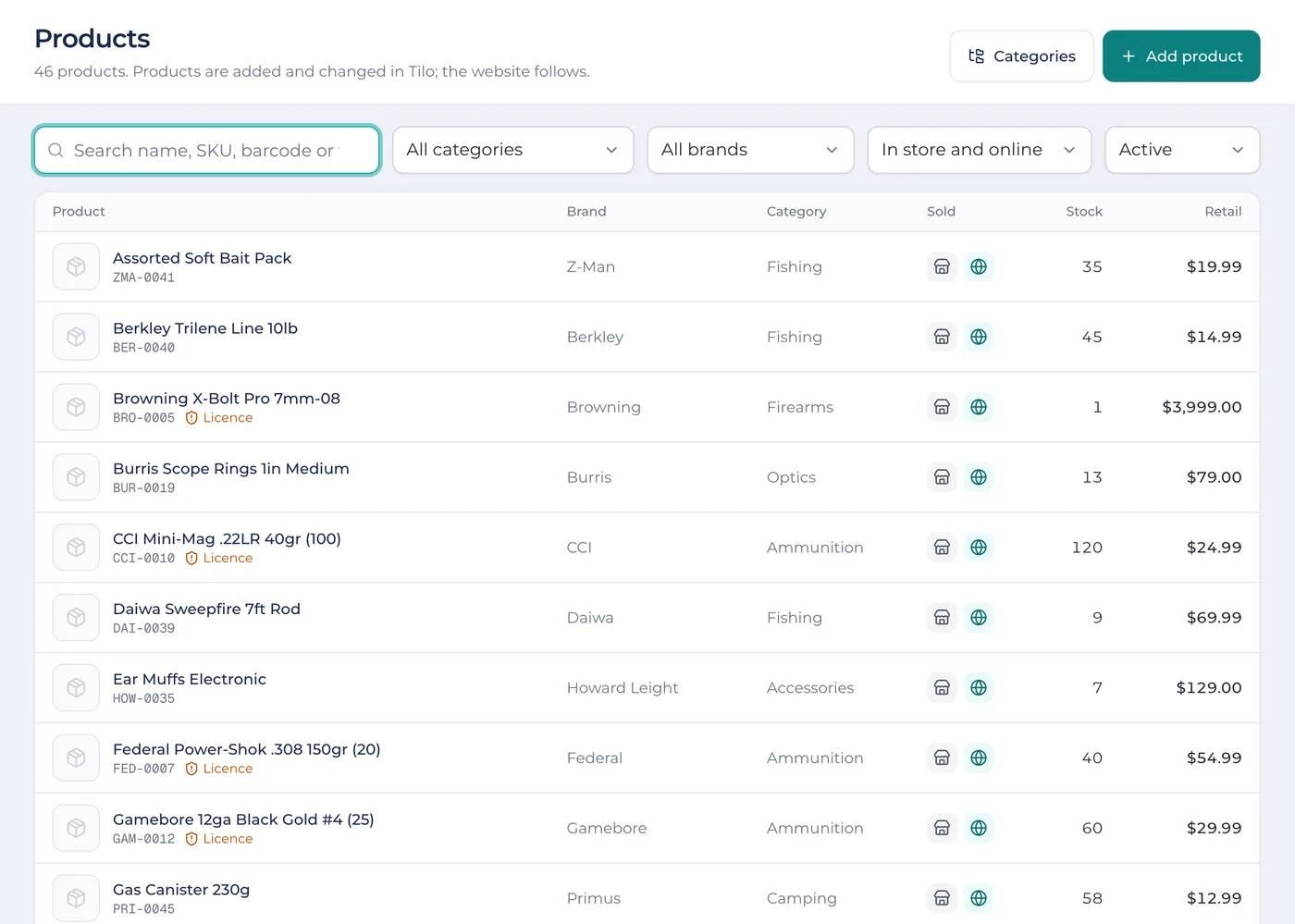
Add products once, with sizes and colours as variants, each with its own barcode, price and stock. Every sale, return, delivery and count moves stock, and each move is kept.
- Print shelf labels and barcodes on label rolls or A4 sheets
- A Stock tab on every product: each movement and what was left afterwards
- Choose what's sold in store, online, or both
Stocktakes
Count stock without closing the doors
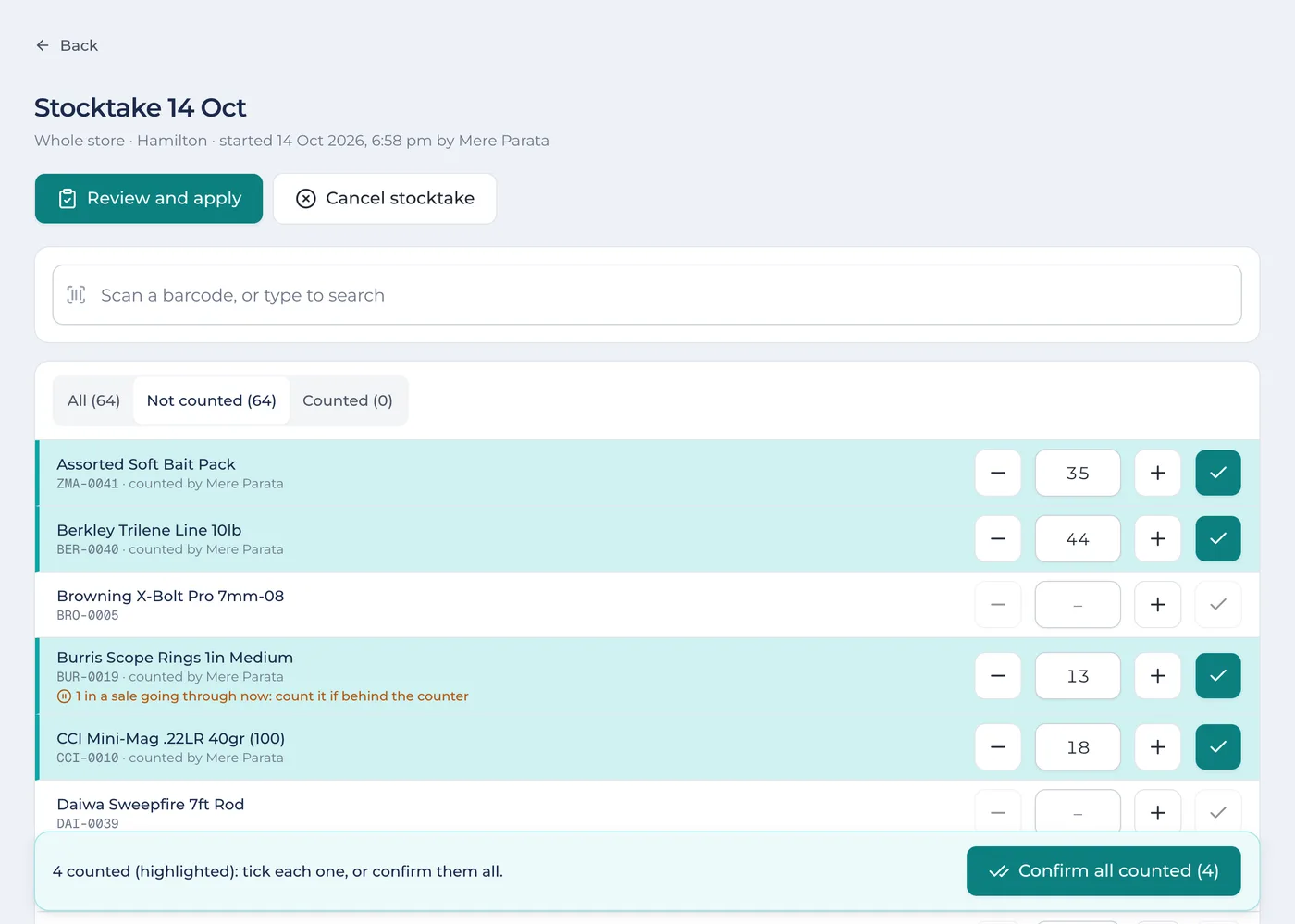
Count the whole store, a category, a brand or a few products. Several people can count at once, scanning or typing, and nobody sees what the system expects until a manager reviews it.
- Counts are highlighted until they're ticked off
- Sales during the count are allowed for, so the till keeps going
- Review the differences, and their value at cost, before applying
Customers
Reward the regulars
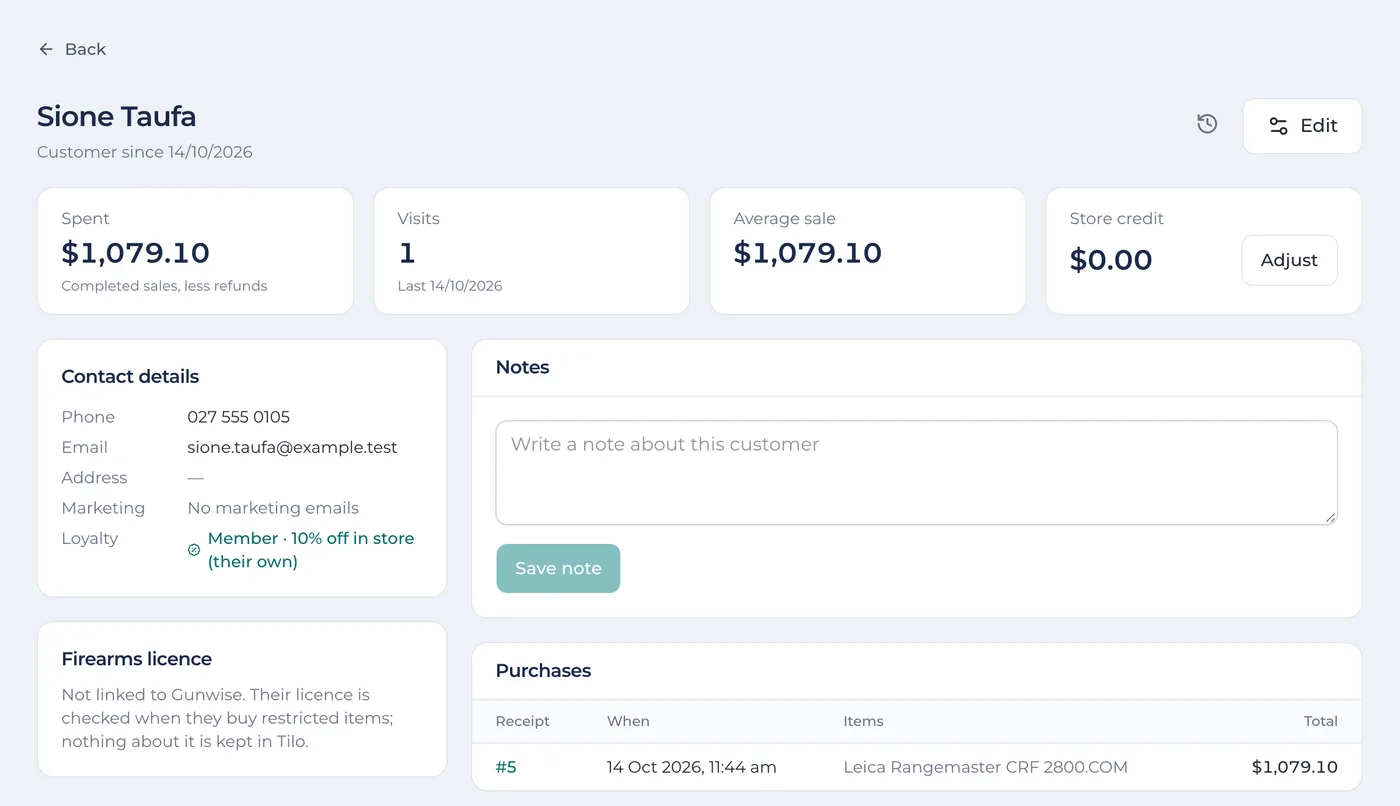
Everything about a customer on one page: what they've bought, their notes, store credit and loyalty. Members get their discount at the till automatically.
- A loyalty discount for members, store-wide or their own
- Store credit and gift cards, with every balance kept
- Charge accounts for clubs and businesses, with statements by email
Reports
See how the day went
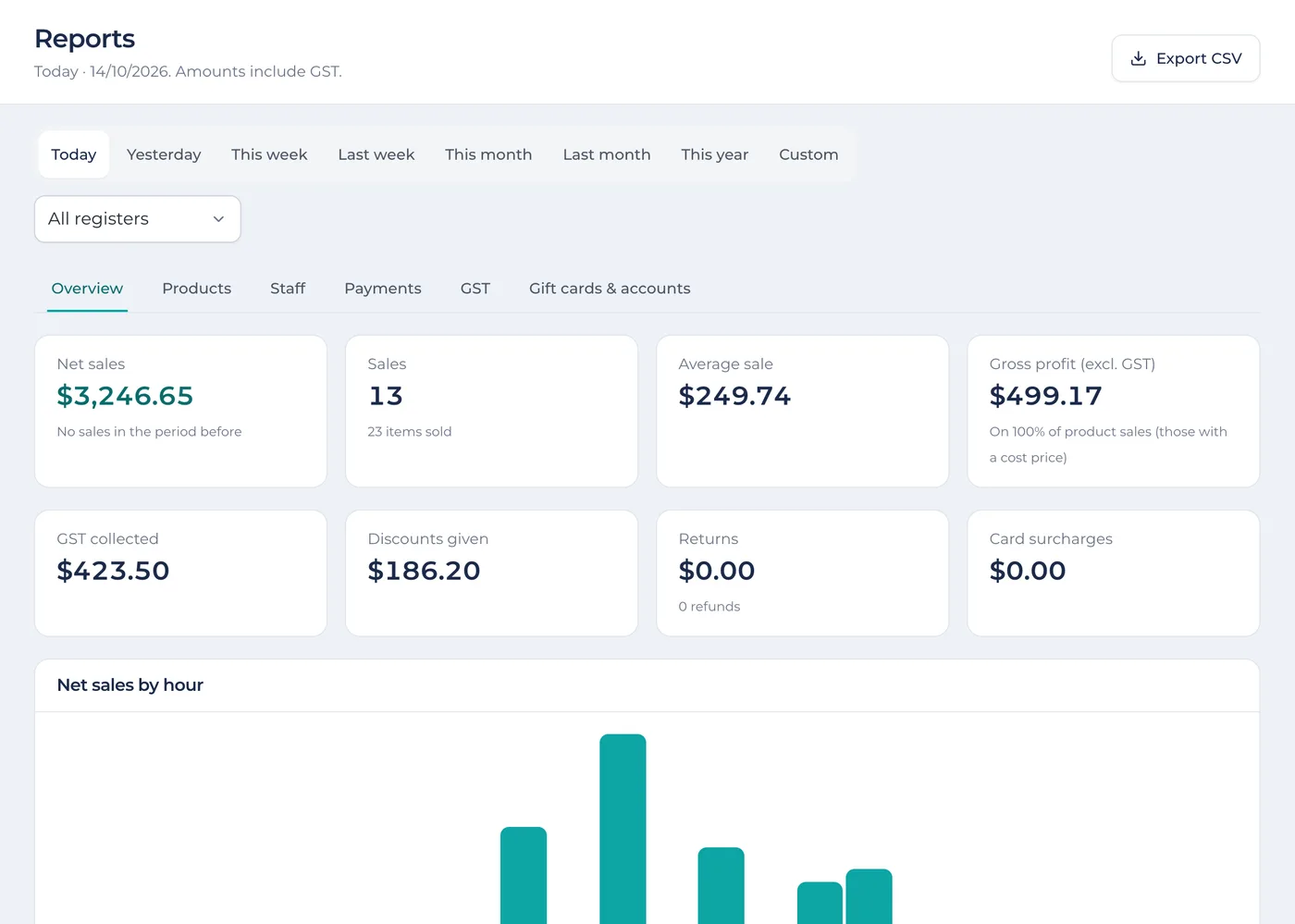
Net sales, gross profit, GST, discounts and returns for any period, by register. Then dig into products, staff and payments, or export it for your accountant.
- Today, this week, this month or any dates you choose
- GST collected, ready for your return
- Export any report as a spreadsheet (CSV)
In store and online
Your web store, kept in step
Connect your WooCommerce store and stop keeping two lists. One set of products and one stock count, whether it sells over the counter or online. Already selling online? Bring your products across in one go.
Products follow Tilo
Add or change a product in Tilo and your website follows: details, categories, photos and stock.
Orders come back
Paid web orders arrive as sales, take the stock off, and show in your reports with the rest.
Pack and send
Packing slips and shipping labels, then mark each order sent or collected, on the website too.
For firearms dealers
Selling firearms? Tilo is ready for it.
Hunting, shooting and outdoors stores get the same fast till as everyone else, with the checks that come with restricted items built in. Pair it with Gunwise and your dealer register keeps itself up to date.
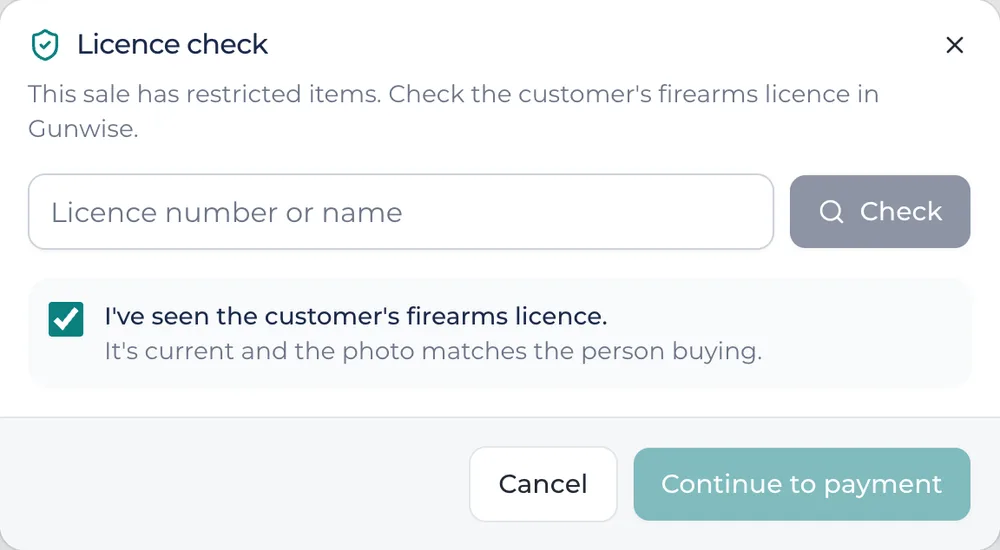
- Firearms and ammunition are marked as restricted, and a sale with them can't be finished until the licence has been checked
- Each firearm sold needs its serial number, one per unit
- Connect Gunwise and the licence is looked up there at checkout, and the sale is recorded in your Gunwise dealer register for you
- Without Gunwise, staff confirm they've seen a current licence that matches the buyer
- Tilo doesn't keep licence details: anything Gunwise needs is held encrypted only until it's sent
And plenty more
The details that make the day easier
Staff and PINs
Each person taps their name and a 4-digit PIN to take over the till. Roles, discount limits and photos.
Open and close the register
Count the float by notes and coins. At close the count comes first, then what was expected, then what to bank.
Printing
Receipts on 80 or 58 mm rolls, shelf labels, packing slips and A4 invoices, on the printers you have.
Emails from your own address
Email receipts and statements from your own domain, so customers know who they're from.
Returns and credit notes
Find the sale by its receipt, choose what's coming back, and refund how they paid or as store credit.
A history of every change
Who changed a price, a product or a customer, and when, a tap away on each page.
Barcodes your way
Any barcode scanner that types like a keyboard. Scan on the Sell screen and the item's added.
Each store kept apart
Your data is separated by rules in the database itself, not just the app, so no other store can reach it.
Help when you need it
Live chat and support tickets from inside Tilo, and a say in what we build next.
Getting started
Up and running before your next customer
- 1
Sign up
Your store's details and your login. The first 7 days are free.
- 2
Add your products
Type them in, or bring them across from your WooCommerce store in one go.
- 3
Open the register
Count the float, scan the first item, and you're selling.
Pricing
One plan, everything included
Start with a 7-day free trial. Pay by card or direct debit; you add your payment details when you sign up and nothing is taken until the trial ends. Prices in NZ dollars.
Monthly
$249per month
Pay as you go. Cancel anytime.
- All your staff, registers and products
- Sell, returns, gift cards, store credit and accounts
- Stocktakes, labels and reports
- WooCommerce web store connection
- Gunwise connection for firearms dealers
- Live chat support
Yearly
$2,490per year
Two months free: save $498 a year.
- All your staff, registers and products
- Sell, returns, gift cards, store credit and accounts
- Stocktakes, labels and reports
- WooCommerce web store connection
- Gunwise connection for firearms dealers
- Live chat support
Questions
Good to know
What do I need to run it?
A tablet, laptop or computer with an up-to-date web browser. Nothing to install. Barcode scanners that type like a keyboard work straight away, and Tilo prints to any printer your device can print to, including receipt and label printers.
Can I take card payments?
Yes. Each register links to its own Windcave card terminal, so the amount is sent to the terminal and the result comes straight back to the sale.
What if the internet drops?
The sale you're on is kept on the device as you go and saved as soon as you're back online, so nothing is lost. Taking payment needs a connection.
Do I need Gunwise?
Only if you sell firearms or ammunition and want the licence checked in Gunwise and your dealer register kept for you. Without it, staff confirm they've seen a current licence. Shops that don't sell restricted items never see any of it.
Can I bring my products across?
If you sell online with WooCommerce, Tilo brings your products across in one go, with their categories, brands, photos and stock. Otherwise, add them in Tilo.
Where is my data kept?
Tilo's database is hosted in Sydney, Australia. Each store's data is kept apart by rules in the database itself, and every connection is encrypted.
Give your counter an upgrade
Try Tilo free for 7 days. Questions first? Email hello@tilo.co.nz.